 D&D Tracker
D&D 2024 · Your first character
How to create a D&D 2024 character sheet
Build a new character step by step and review every progression choice before saving.
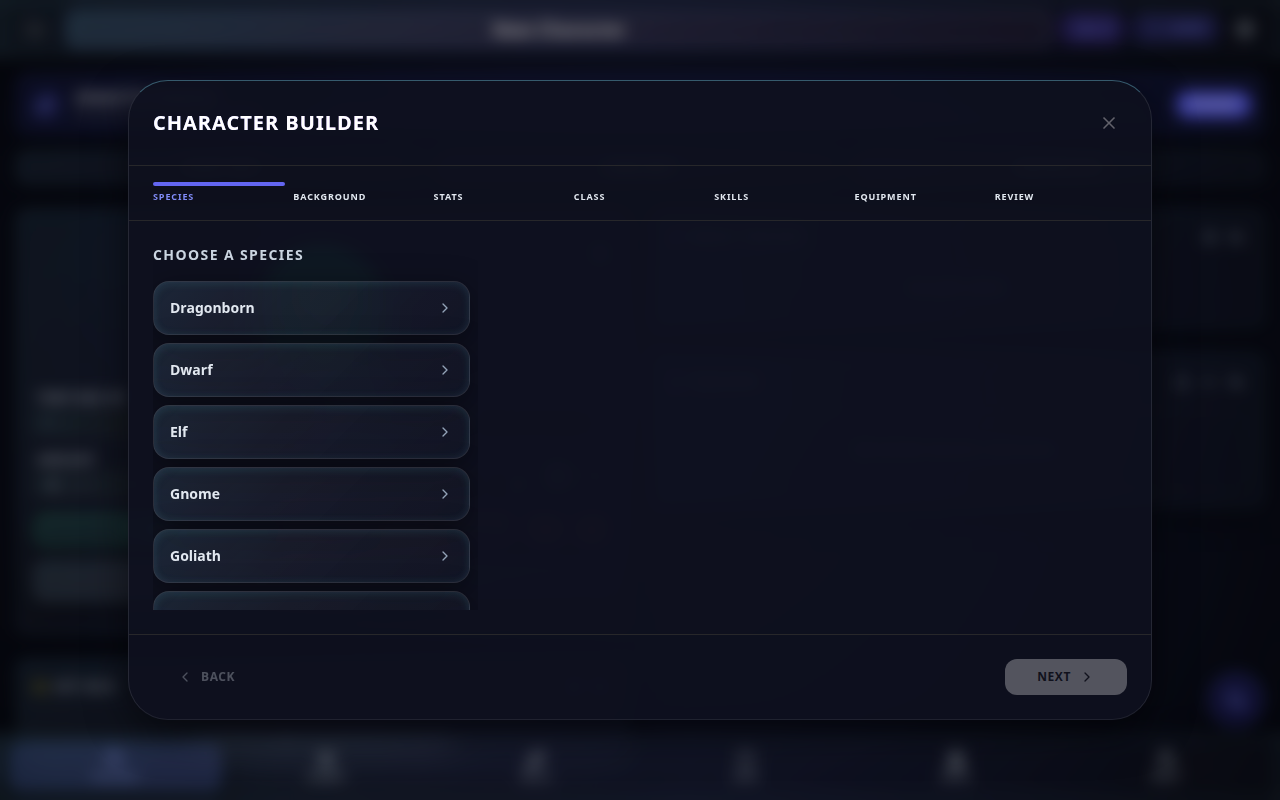
The character wizard builds a complete level-1 character in a fixed sequence. Each page feeds later choices, and the final review shows what will be saved to the library.
Where
- Open Library using the icon in the app header.
- Select New character.
- Choose the guided wizard when the creation options appear.
- On first use, the Welcome screen can also lead to the same creation flow.
Steps
- In Species, choose the character's species and complete any options it requires.
- In Background, choose the background and review the abilities or features it grants.
- In Stats, assign ability scores and verify the resulting modifiers.
- In Class, choose the starting class and complete its level-1 decisions.
- In Skills, select the available proficiencies without duplicating choices already granted.
- In Equipment, choose the starting packages or items offered by the class and background.
- In Review, inspect species, background, stats, class, skills, and equipment as one complete character.
- Go back to correct any mismatch before confirming.
- Confirm the review to save the new character in Library.
Tips / Pitfalls
- Complete required choices on the current page before trying to continue.
- Earlier decisions can change later options, so revisit the review after any correction.
- On Android, the system Back action returns to the previous wizard step instead of closing the whole wizard.
- The wizard creates a new character; use the LVL flow later to advance an existing one.
- After saving, load the character from Library and check the main sheet before play.