 D&D Tracker
D&D 2024 · A campaign in order
How to organize a campaign in DnDTracker
Create a campaign, organize your session material, and keep a backup from the DM library.
The DM tab in Library stores campaign workspaces separately from player characters. From here you create campaigns, import JSON backups, open a workspace in DM mode, download backups, or delete local entries.
Where
- Select the Library icon in the app header.
- In Library, select the DM tab.
Steps
- Open Library and select DM.
- Choose New Campaign, enter the requested campaign details, and finish creation.
- Choose Import to restore a campaign from a previously saved JSON backup.
- To open a saved campaign, select its name (or the whole card). Confirm when asked to enter DM mode. The Active badge marks the campaign currently open.
- Select the Download icon on a card to save that campaign’s JSON backup.
- Select the trash icon (Delete Campaign) and confirm only when you want to remove that local library entry.
Organize your next session
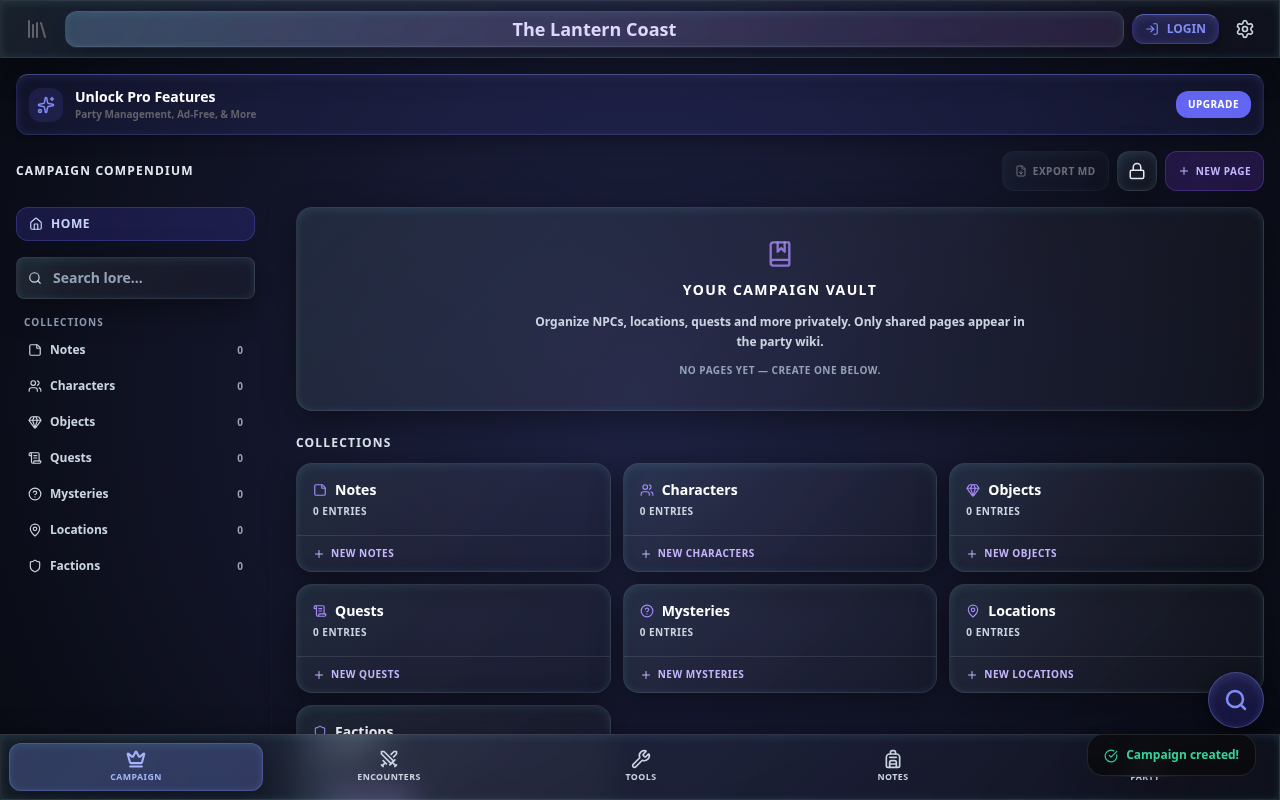
- Open the campaign and select the Campaign tab to see its private compendium.
- Choose New page and a collection, such as characters, locations, or quests, to organize the material you will need at the table.
- Use Notes for reminders and session notes. Campaign notes belong to that campaign.
- Use Encounters to prepare fights before the session. You can enter the characters manually; a linked online party is optional for the encounter budget.
- Return to Library, open DM, and download a campaign backup after preparing your material.
The campaign compendium is private. Material only appears in a shared party when you choose to share it. Online party features are accessed through the Party tab and require login. Party is free; AI tools require PRO.
Tips / Pitfalls
- Deleting a campaign from Library removes the local entry; it does not delete a shared cloud party by itself.
- Keep campaign JSON backups in a safe place before deleting or moving to another device.
- Import expects a campaign JSON backup from this app, not a character export.